Wallet Security
Hardware Wallets and Cold Storage
Hardware wallets and cold storage reduce exposure by isolating signing credentials from everyday internet-connected devices. They can improve security significantly, but they also add setup, backup, and usability responsibilities. It helps readers connect what hardware wallets do and cold storage vs everyday wallets while keeping the core tradeoffs and risks in view. That does not make it magical, but it can make common malware and browser-based attack paths much harder to exploit.
TL;DR
Understand when hardware wallets make sense, what cold storage really means, and how to think about the tradeoff between convenience and stronger isolation. It clarifies what hardware wallets do, cold storage vs everyday wallets, and when a hardware wallet is worth it so the lesson fits into the bigger wallet security picture.
What hardware wallets do
A hardware wallet is designed to keep signing credentials isolated from a typical internet-connected environment. That does not make it magical, but it can make common malware and browser-based attack paths much harder to exploit.
**Hardware Wallets and Cold Storage** becomes easier to understand when you translate it into a user flow instead of a definition. In practice, learners usually meet this idea while *writing recovery material offline and checking it twice*, then discover that the visible app action sits on top of wallet permissions, network rules, liquidity, or settlement assumptions that are easy to miss the first time. That is why the safest beginner habit is to ask how the action works, what the hidden dependency is, and what part of the system would fail first under stress.
A common beginner mistake here is *storing recovery phrases in cloud notes or screenshots*. Another is *clicking a wallet link from a fake support message*. Those errors usually do not come from bad intent; they come from skipping one layer of understanding and moving straight to the transaction. What can go wrong depends on the lesson, but the pattern is consistent: users either trust the wrong tool, underestimate timing and fees, or assume one network's rules apply everywhere. Slowing down long enough to verify the route, asset, counterparty, or contract address prevents a surprising share of early losses.
A useful way to test whether this idea is landing is to picture where it shows up in a real workflow. Someone might run into it while *writing recovery material offline and checking it twice* or *reviewing a wallet approval before signing it*, which is why the topic matters most once money, permissions, or liquidity are already in motion instead of while reading definitions in the abstract.
**Why this matters:** Hardware Wallets and Cold Storage is more useful when you can connect it to Seed Phrases, Private Keys, and Backups, Crypto Wallets, and Crypto Security. That broader map helps beginners judge when the tool fits, when a simpler path is safer, and which follow-on topic to study next before committing real money or signing real transactions.
For primary-source context, see [Ethereum wallets guide](https://ethereum.org/en/wallets), [Ethereum security report](https://ethereum.org/reports/trillion-dollar-security.pdf), and [Bitcoin white paper](https://bitcoin.org/en/bitcoin-paper).
Cold storage vs everyday wallets
Cold storage is best understood as a tradeoff. You gain stronger isolation, but you also lose some convenience and speed. That is why many users separate long-term storage from everyday spending or app interaction.
The real value of **cold storage vs everyday wallets** is that it explains what is happening behind the button a beginner clicks. Whether someone is *reviewing a wallet approval before signing it* or *keeping higher-value storage separate from a daily-use hot wallet*, the outcome depends on a chain of infrastructure choices such as custody, routing, execution, and final settlement. Once that chain is clear, the topic stops feeling like crypto magic and starts feeling like a system with understandable moving parts.
Most people do not get hurt by the concept itself. They get hurt by the shortcuts they take around it. *Clicking a wallet link from a fake support message* can turn a simple workflow into an expensive mistake, and *treating a hardware wallet like a complete substitute for good habits* often becomes visible only after funds are already in motion. That is why good crypto education pairs the mechanics with practical failure modes instead of teaching the upside in isolation.
Beginners usually retain this faster when they attach it to a concrete decision rather than a glossary term. In practice, the concept becomes easier to trust and easier to question once you connect it to a workflow like *reviewing a wallet approval before signing it* and ask what could break, slow down, or become expensive at each step.
**Why this matters:** Hardware Wallets and Cold Storage is more useful when you can connect it to Seed Phrases, Private Keys, and Backups, Crypto Wallets, and Crypto Security. That broader map helps beginners judge when the tool fits, when a simpler path is safer, and which follow-on topic to study next before committing real money or signing real transactions.
When a hardware wallet is worth it
A hardware wallet usually starts making more sense when wallet balances grow, the holding period gets longer, or the user wants a stronger separation between routine browsing and high-value signing. The more value and time involved, the more isolation tends to matter.
**Hardware Wallets and Cold Storage** becomes easier to understand when you translate it into a user flow instead of a definition. In practice, learners usually meet this idea while *keeping higher-value storage separate from a daily-use hot wallet*, then discover that the visible app action sits on top of wallet permissions, network rules, liquidity, or settlement assumptions that are easy to miss the first time. That is why the safest beginner habit is to ask how the action works, what the hidden dependency is, and what part of the system would fail first under stress.
Most people do not get hurt by the concept itself. They get hurt by the shortcuts they take around it. *Treating a hardware wallet like a complete substitute for good habits* can turn a simple workflow into an expensive mistake, and *storing recovery phrases in cloud notes or screenshots* often becomes visible only after funds are already in motion. That is why good crypto education pairs the mechanics with practical failure modes instead of teaching the upside in isolation.
A useful way to test whether this idea is landing is to picture where it shows up in a real workflow. Someone might run into it while *keeping higher-value storage separate from a daily-use hot wallet* or *writing recovery material offline and checking it twice*, which is why the topic matters most once money, permissions, or liquidity are already in motion instead of while reading definitions in the abstract.
**Why this matters:** Hardware Wallets and Cold Storage is more useful when you can connect it to Seed Phrases, Private Keys, and Backups, Crypto Wallets, and Crypto Security. That broader map helps beginners judge when the tool fits, when a simpler path is safer, and which follow-on topic to study next before committing real money or signing real transactions.
Common hardware wallet mistakes
Hardware wallets can still be undermined by bad backup habits, buying from the wrong source, or misunderstanding how recovery works. Security improves only if the full setup is handled carefully, not just because the device exists.
The real value of **common hardware wallet mistakes** is that it explains what is happening behind the button a beginner clicks. Whether someone is *writing recovery material offline and checking it twice* or *reviewing a wallet approval before signing it*, the outcome depends on a chain of infrastructure choices such as custody, routing, execution, and final settlement. Once that chain is clear, the topic stops feeling like crypto magic and starts feeling like a system with understandable moving parts.
A common beginner mistake here is *storing recovery phrases in cloud notes or screenshots*. Another is *clicking a wallet link from a fake support message*. Those errors usually do not come from bad intent; they come from skipping one layer of understanding and moving straight to the transaction. What can go wrong depends on the lesson, but the pattern is consistent: users either trust the wrong tool, underestimate timing and fees, or assume one network's rules apply everywhere. Slowing down long enough to verify the route, asset, counterparty, or contract address prevents a surprising share of early losses.
Beginners usually retain this faster when they attach it to a concrete decision rather than a glossary term. In practice, the concept becomes easier to trust and easier to question once you connect it to a workflow like *writing recovery material offline and checking it twice* and ask what could break, slow down, or become expensive at each step.
**Why this matters:** Hardware Wallets and Cold Storage is more useful when you can connect it to Seed Phrases, Private Keys, and Backups, Crypto Wallets, and Crypto Security. That broader map helps beginners judge when the tool fits, when a simpler path is safer, and which follow-on topic to study next before committing real money or signing real transactions.
Hybrid security for real-life use
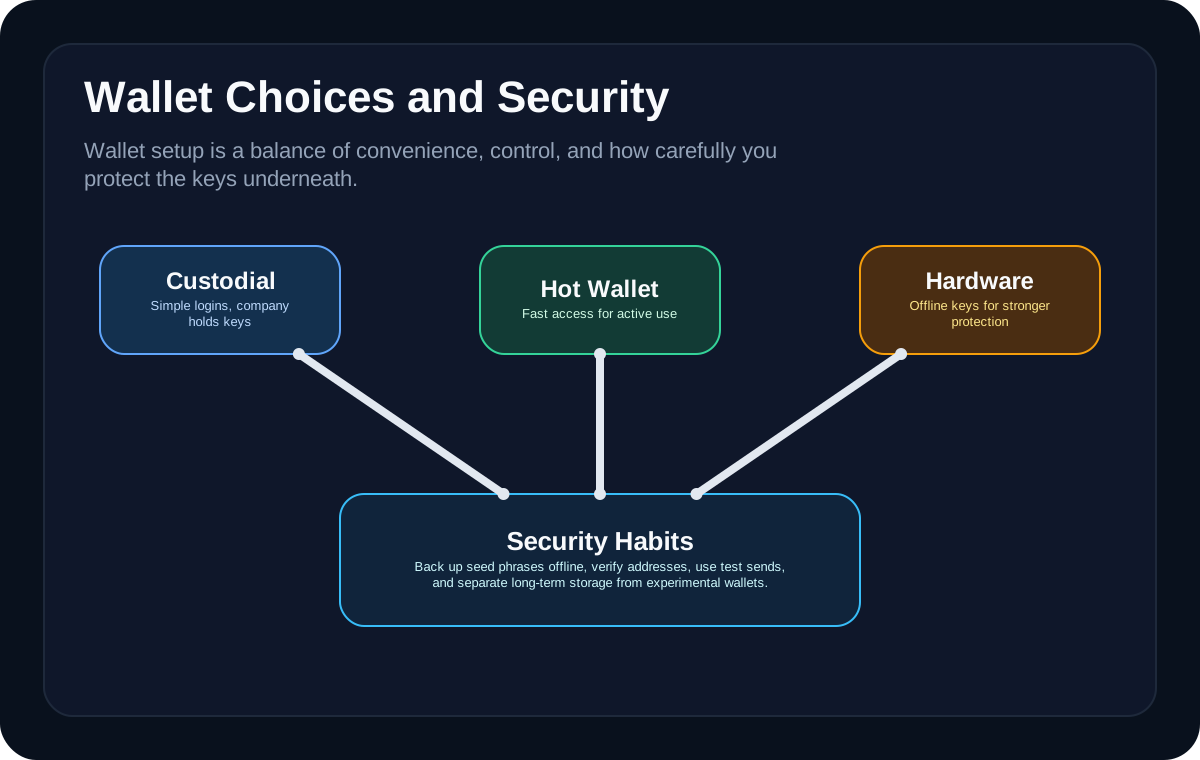
Many users end up with a layered setup: a hardware wallet for higher-value storage and a smaller hot wallet for routine activity. That split helps balance usability with risk instead of forcing one wallet to do every job.
**Hardware Wallets and Cold Storage** becomes easier to understand when you translate it into a user flow instead of a definition. In practice, learners usually meet this idea while *reviewing a wallet approval before signing it*, then discover that the visible app action sits on top of wallet permissions, network rules, liquidity, or settlement assumptions that are easy to miss the first time. That is why the safest beginner habit is to ask how the action works, what the hidden dependency is, and what part of the system would fail first under stress.
Most people do not get hurt by the concept itself. They get hurt by the shortcuts they take around it. *Clicking a wallet link from a fake support message* can turn a simple workflow into an expensive mistake, and *treating a hardware wallet like a complete substitute for good habits* often becomes visible only after funds are already in motion. That is why good crypto education pairs the mechanics with practical failure modes instead of teaching the upside in isolation.
A useful way to test whether this idea is landing is to picture where it shows up in a real workflow. Someone might run into it while *reviewing a wallet approval before signing it* or *keeping higher-value storage separate from a daily-use hot wallet*, which is why the topic matters most once money, permissions, or liquidity are already in motion instead of while reading definitions in the abstract.
**Why this matters:** Hardware Wallets and Cold Storage is more useful when you can connect it to Seed Phrases, Private Keys, and Backups, Crypto Wallets, and Crypto Security. That broader map helps beginners judge when the tool fits, when a simpler path is safer, and which follow-on topic to study next before committing real money or signing real transactions.
Visual Guides
Glossary
- What hardware wallets do
- A hardware wallet is designed to keep signing credentials isolated from a typical internet-connected environment. That does not make it magical, but it can make common malware and browser-based attack paths much harder to exploit.
- Cold storage vs everyday wallets
- Cold storage is best understood as a tradeoff. You gain stronger isolation, but you also lose some convenience and speed.
- When a hardware wallet is worth it
- A hardware wallet usually starts making more sense when wallet balances grow, the holding period gets longer, or the user wants a stronger separation between routine browsing and high-value signing. The more value and time involved, the more isolation tends to matter.
- Common hardware wallet mistakes
- Hardware wallets can still be undermined by bad backup habits, buying from the wrong source, or misunderstanding how recovery works. Security improves only if the full setup is handled carefully, not just because the device exists.
FAQ
Does a hardware wallet make crypto completely safe?
No. It can reduce some attack paths, but poor recovery handling, phishing, fake device sources, and user mistakes can still create serious losses.
What is cold storage in simple terms?
Cold storage means keeping wallet credentials more isolated from everyday online environments so they are harder to access remotely.
Should every beginner buy a hardware wallet immediately?
Not always. It makes more sense as value, holding period, and security needs increase. For very small balances, simpler wallets may be fine while the user is learning.
Why do people use a hot wallet and hardware wallet together?
Because the hot wallet is easier for routine use, while the hardware wallet is better for isolating larger or longer-term balances.
Where do hardware wallet users still go wrong?
They often go wrong with backups, fake purchase sources, and recovery handling rather than with the device concept itself.